Bridging Animecoin (ANIME) – The Easy Way
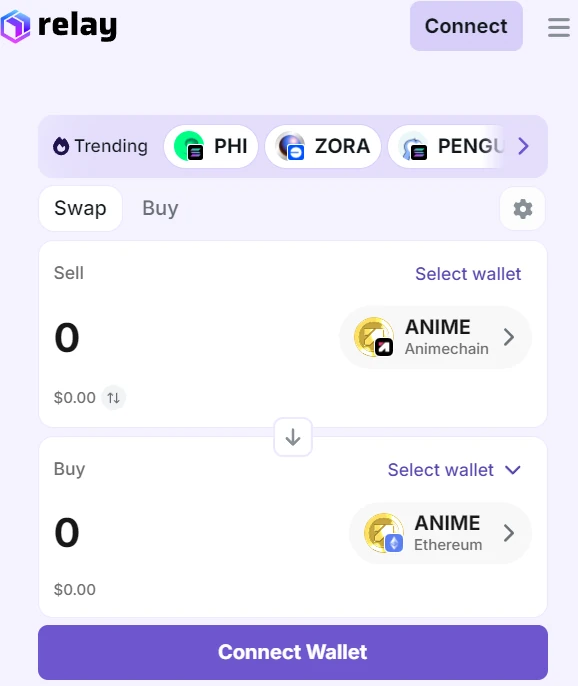
The fastest way into native ANIME on Animechain (chain 69000) is the Relay widget below — it returns routes for every common source pair (USDC, ETH, and L1 ANIME on 0x4dc2…c277) directly into native L3 ANIME. OpenSea Swap is kept as a strong alternative for users who already live in OpenSea's UI.
⚡ Bridge with Relay
Pick a source token, then bridge directly to native ANIME on Animechain. The widget below is the live Relay bridge; it handles wallet connection, approvals, quoting, and the final transfer — you just sign.
Why Relay
- Every common source pair returns a route, including L1 ANIME (
0x4dc2…c277) → native ANIME on chain69000. That's the pair other widgets fail on. - One signature, one transaction — Relay handles the L1 → L2 → L3 sequencing internally and credits native ANIME on Animechain.
- Inbound and outbound — the widget defaults to inbound (Ethereum/Arbitrum → Animechain). To go outbound, click the swap-direction control inside the widget and pick a destination chain.
- Animechain is a first-class chain in Relay's chain registry, so quotes, fees, and confirmations all surface with the chain icon and metadata you expect.
Common direct links (bypass the widget)
| Direction | Link |
|---|---|
| USDC (Ethereum) → ANIME (Animechain) (default) | open |
| ETH (Ethereum) → ANIME (Animechain) | open |
ANIME L1 (0x4dc2…c277) → ANIME (Animechain) |
open |
| USDC (Arbitrum) → ANIME (Animechain) | open |
| ANIME (Animechain) → USDC (Ethereum) | open |
⚡ Bridge with OpenSea
If you'd rather stay inside OpenSea's familiar Swap UI, this works too. Pick a source / destination below and click — OpenSea Swap opens in a new tab with everything prefilled.
Direct deep links (no widget)
USDC (Ethereum) → ANIME (Animechain) · OpenSea Swap (no prefill)
The recommended link prefills:
- Source — USDC on Ethereum (
0xa0b8…eb48) - Destination — native ANIME on Animechain (chain slug
animechain, address0x0000…0000is OpenSea's native-token sentinel)
Source is editable inside OpenSea's UI; the destination prefill survives. You can also build your own deep links — see the parameter reference below.
Why OpenSea
- Animechain is registered in OpenSea's chain enum (
Chain.AnimeChain = "animechain") and is part of the API spec, so cross-chain quotes targeting chain69000actually return routes today (verified in their UI). - OpenSea aggregates over Relay, Jupiter, LI.FI, and 0x. You're getting the best-of price across those routers without picking one yourself.
- The swap UI is a familiar, stable surface — no widget version drift, and OpenSea handles wallet, approvals, and progress polling.
URL parameter reference
OpenSea's swap page reads four query params:
| Param | Purpose | Example |
|---|---|---|
fromChain |
Source chain slug | ethereum, arbitrum, base, polygon, solana, animechain |
fromAddress |
Source token contract address | ERC‑20 address, or 0x0000…0000 for the chain's native token |
toChain |
Destination chain slug | Same enum as fromChain |
toAddress |
Destination token contract address | ERC‑20 address, or 0x0000…0000 for native |
For native ANIME on Animechain L3 the destination is toChain=animechain&toAddress=0x0000000000000000000000000000000000000000 — that's because ANIME is the native gas token on chain 69000, so OpenSea uses the zero-address native sentinel rather than a token contract.
Common prefilled links
| Direction | Link |
|---|---|
| USDC (Ethereum) → ANIME (Animechain) (default) | open |
| ETH (Ethereum) → ANIME (Animechain) | open |
| USDC (Arbitrum) → ANIME (Animechain) | open |
| ETH (Arbitrum) → ANIME (Animechain) | open |
| ANIME (Animechain) → USDC (Ethereum) | open |
| Just preselect Animechain as destination | open |
Test with a small amount first and confirm the quote and fees inside the swap modal before signing.
Embedding constraints
OpenSea sets X-Frame-Options: DENY and a frame-ancestors CSP that excludes third-party origins, so the swap page cannot be embedded in an iframe. Hand users off via a link/button in a new tab — that's why this page uses buttons rather than an embedded widget for the OpenSea path. If you want an in-page embedded experience, use the Relay widget above — it's the working embedded option on this page.
thirdweb Bridge — deprecated alternative
⚠️ Limited functionality — not recommended
bridge.thirdweb.com/v1/sell/quote returns 400 for L1 ANIME (0x4dc2…c277) → L3 native ANIME — thirdweb's router does not have a route for that pair. Several other Animechain pairs also fail intermittently. Use the Relay or OpenSea widgets above instead. This section is preserved only for reference.
Show thirdweb Bridge widget anyway (deprecated)
If you specifically need to move existing L1 ANIME, use Relay above or the manual L1→L2→L3 flow. When the widget shows quote errors but bridge.thirdweb.com/v1/sell/quote returns 200 in the network tab for your pair, the route is fine and another error is at play; if it's 400, switch source token.
<iframe src="https://thirdweb.com/bridge/widget?inputChain=1&inputCurrency=0xA0b86991c6218b36c1d19D4a2e9Eb0cE3606eB48&outputChain=69000" height="750" width="100%" style="border: 0; border-radius: 12px; max-width: 480px; display: block; margin: 0 auto;" title="thirdweb Bridge — USDC L1 to Animechain L3" allow="clipboard-read; clipboard-write; web-share" loading="lazy"
Open thirdweb Bridge in a new tab →
Embed thirdweb Bridge in your own app
If you're building on Animechain and want this in-app widget UX, thirdweb publishes both an iframe embed and a React component.
<iframe
  src="https://thirdweb.com/bridge/widget?inputChain=1&inputCurrency=0xA0b86991c6218b36c1d19D4a2e9Eb0cE3606eB48&outputChain=69000"
  height="750"
  width="100%"
  style="border: 0; border-radius: 12px;"
  title="thirdweb Bridge"
  allow="clipboard-read; clipboard-write; web-share"
></iframe>
Useful query parameters: theme=light|dark, inputChain, inputCurrency, inputCurrencyAmount, outputChain, outputCurrency, outputCurrencyAmount, currency (fiat display), persistTokenSelections. Full list in the iframe reference.
import { BridgeWidget } from "thirdweb/react";
import { createThirdwebClient } from "thirdweb";

const client = createThirdwebClient({
  clientId: process.env.NEXT_PUBLIC_THIRDWEB_CLIENT_ID!,
});

export function AnimeBridgeWidget() {
  return (
    <BridgeWidget
      client={client}
      // Prefill: USDC on Ethereum L1 → native ANIME on Animechain L3.
      // Native ANIME on chain 69000 needs no token address (omit it
      // to avoid the wrong-native-sentinel bug class).
      prefill={{
        buyToken: { chainId: 69000 },
        sellToken: {
          chainId: 1,
          tokenAddress: "0xA0b86991c6218b36c1d19D4a2e9Eb0cE3606eB48", // USDC
        },
      }}
    />
  );
}
Refer to the BridgeWidget API reference for the full prop surface, including event callbacks (onSuccess, onError) and theme overrides.
You'll need a thirdweb client ID — create one free at thirdweb.com.
Notes
- Make sure your wallet is connected to the correct source network when starting any bridge.
- Gas and fees vary by path (L1↔L2, L2↔L3, L1↔L3). L1 typically dominates the cost; the swap UI will surface the breakdown before you sign.
- ANIME is the native gas token on Animechain. After bridging, you'll need a small amount of ANIME on chain
69000to send transactions — every option here delivers native ANIME directly. - Need the manual contract-level flow instead? See Bridging Guide – The Hard Way.